For UK weddings
A UK wedding website builder
Thirteen section types, a template that starts you off, and a studio where you edit the page itself. RSVPs, schedule, venue, photo album, guestbook, seating plan and more on one link for your guests. Free to start, with no subscription.
What's included
Built in an evening
Pick the wedding template or a blank page, enter both names, the date and your web address, choose a palette and font. That gives you a draft to build on; nothing is visible to guests until you press Publish.
Edit the page itself
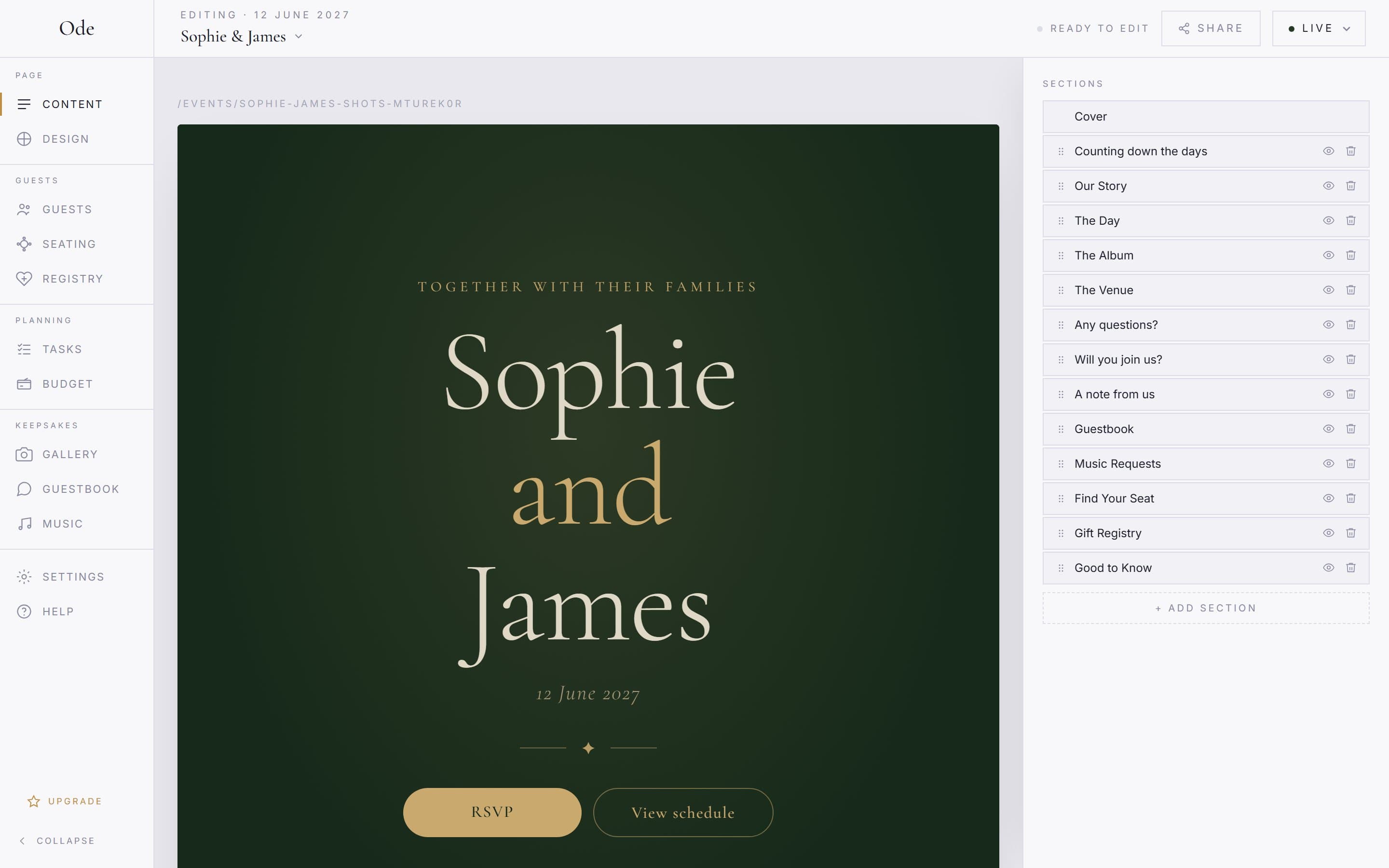
The studio shows your actual page. Click a section to edit it and every change saves as you go. Once the page is Live, edits are visible to guests immediately.
Palettes and fonts
Six preset colour palettes and five typefaces on every plan. Paid plans unlock a custom palette with your own primary, secondary and accent colours.
13 section types
Hero, countdown, schedule, venue, RSVP, photo album, seating plan, guestbook, music requests, info cards, FAQs, text and gift registry. Add the ones you want, hide or reorder the rest.
UK-based
Pricing in pounds. Built by a UK company, for UK couples. British spelling, UK wedding traditions, and an event timezone so deadlines and countdowns land on the right day.
One-off payment
A free plan with clear limits, and three paid plans at £15, £35 and £65 paid once. No monthly subscription, no surprise renewals.
No app for guests
Your wedding website is just a link. Guests tap and they're in. No app store, no downloads, no accounts, and a password only if you set one.
How the builder works
01
Answer three questions
Template or blank page. Both names, the date and your web address. A palette and a font. The wizard creates a draft.
02
Build in the studio
Edit the sections the template gave you, add more from the catalogue below, reorder or hide them. Changes save as you go.
03
Publish and share
Press Publish, pick a plan, and the page goes live. Share the link or the QR code from the Share panel.
Every section you can add
The wedding template starts you with the hero, countdown, story, schedule, album, venue, FAQ and RSVP. Add the rest from the section library, up to 25 sections in total. Sections marked with a plan are visible in the library on every plan but only unlock on that plan and above.
Hero
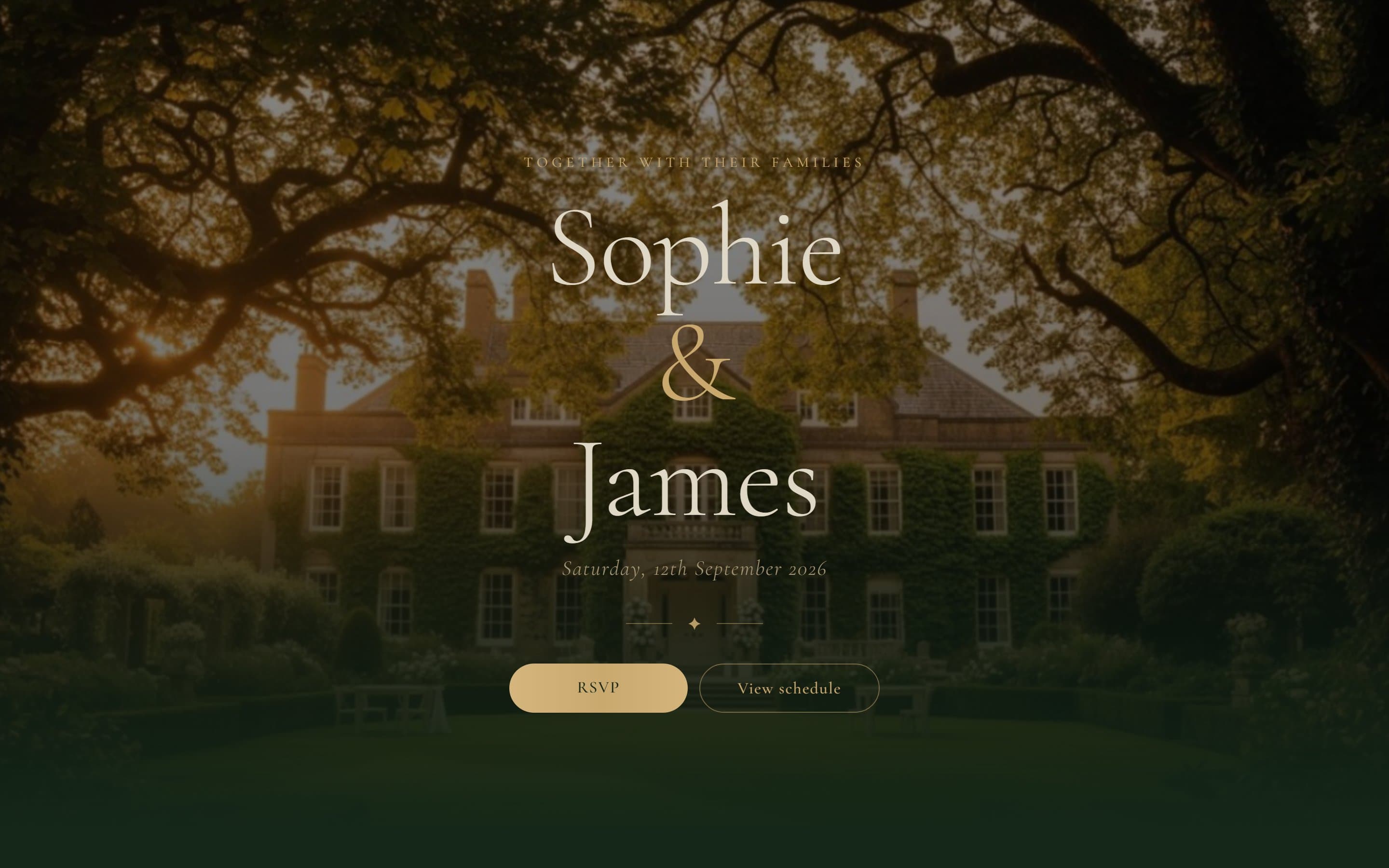
1Your names, the date and a cover image, with buttons that jump to the RSVP or the schedule.
Countdown
1A live count to the day in your event timezone, in one of four styles.
Schedule
up to 3The running order: a time, a title and an optional note for each moment, up to 30 items. Use a second one for the day before or the day after.
Venue & directions
up to 3Venue name, address, map link and up to six info cards for parking, the nearest station or taxis.
RSVP
up to 4Open RSVP on every plan; guest-list RSVP on Plus. Meal choices, plus-ones, a deadline. Up to two of each mode, for example one for the day and one for the evening.
Photo album
1Guests upload from their camera roll; every photo is screened and, if you ask, waits for your approval. Opens on the wedding day.
Seating plan
Plus · 1Guests search their name to find their table, or browse the full list. Fed by the seating planner in the studio.
Guestbook
Starter · 1Messages from guests' phones, named or anonymous, shown on the page in one of four styles or kept for you alone.
Music requests
Plus · 1Guests request songs; you get the list, with counts and requester names, as a PDF for the DJ.
Info cards
up to 2Up to eight cards each for dress code, accommodation, gifts, children, anything with a title, a line of text and an optional link.
FAQs
1Up to 30 questions and answers. The things the group chat has already asked forty-three times.
Text & story
up to 3A heading and up to 5,000 characters. How you met, the proposal, a thank-you.
Gift registry
1List the gifts you'd like with links. Guests claim them, by name or anonymously, so nothing is bought twice. 10 items free, 20 on Starter and Plus, 50 on Complete.
Every section can be hidden with its eye icon without deleting it, and you can give each one its own background from the palette. Which plan has what is on the pricing page.
Inside the studio
The studio shows your page as guests will see it. Click a section to edit its content, move it up or down, hide it with the eye icon. Every change saves automatically, and once the page is Live the change is on the guest side straight away. There is no separate draft of the content; if you want to take the whole page offline, switch it back to Draft.
Design lives in one panel: the palette, the font and the accent. Settings holds the event date, time and timezone, the password, guest uploads and the album dates. No design skills are needed; the template starts from wedding-appropriate typography and spacing, and swapping the palette or font keeps that polish.
More of what Ode does
Wedding RSVPs
Collect replies and meal choices online.
ExploreWedding seating plan
Drag or tap guests onto tables.
ExploreWedding photo sharing
A QR code photo album for your guests.
ExploreWedding guestbook
Messages and well-wishes from your phone.
ExploreFree wedding website
The full builder, free.
ExploreWedding website questions
Set up your page this evening
Free to start · No card required