Plus and Complete plans
A wedding seating plan guests can search
A drag-and-drop wedding table planner on the Plus plan. Your RSVP guests appear automatically; you add tables, seat everyone, and guests find their own table on the day from your wedding page.
What's included
Drag and drop
Drag guests onto any table on desktop, or tap to select and place on a phone. Move someone in seconds when plans change.
RSVPs fill the guest pool
Everyone who replies 'Coming' appears in the pool ready to seat, plus-ones included. Add anyone else by name with a small Add button.
Tables stay simple
A table is a name, a seat count from 1 to 200 and a head-table flag. Name them however your venue does. No floor plan to draw, no shapes to fiddle with.
Meals on hover
Hover a seated guest to see their meal choices and whether they flagged a dietary follow-up. The canvas stays clean; the detail is there when you need it.
Guests find their own seat
Add the Seating plan section to your page and guests search their name to see their table and table-mates, or browse the full seating list. No one hovers over an easel squinting.
Two PDFs for the day
Download the seating plan for the welcome sign or your venue, and a service sheet listing each table with meal choices and dietary flags for the caterer.
How the seating plan comes together
01
Add your tables
Name each table, set its seat count and flag the head table. Presets for common sizes, or type your own.
02
Seat your guests
Your RSVP guests are already in the pool. Drag them onto tables on desktop or tap to place on a phone, and add anyone who hasn't replied by name.
03
Share it with guests
Add the Seating plan section to your page so guests can search their name. Download the plan and the service sheet as PDFs for the venue.
Inside the planner
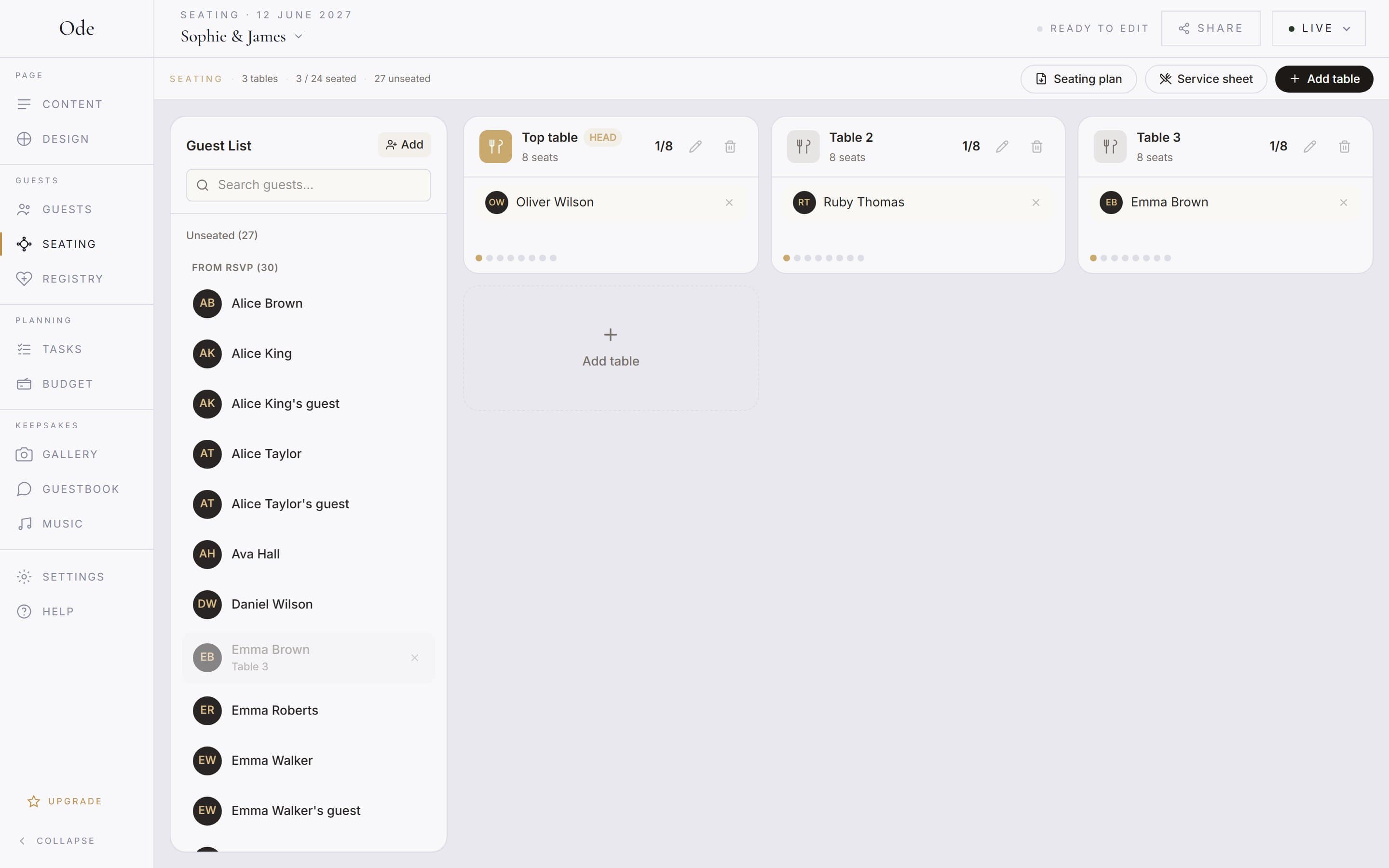
The guest pool fills as RSVPs come in. Tables sit beside it; drag names across and the plan saves as you go. It replaces the spreadsheet, the index cards and the late-night PowerPoint diagram.
The canvas shows names only, so it stays readable with two hundred guests. Hover a name to see meal choices and any dietary follow-up flag. On a phone the planner switches to Guests and Tables tabs and you tap to place instead of dragging.
When it’s done, download the seating plan PDF for the welcome easel and the service sheet PDF, with each table’s meals and dietary flags, for the caterer.
Who sits where?
The software is the easy part. The hard part is the top table order, the divorced parents, the friend who can’t sit near the ex, and where the teenagers go. Ode doesn’t force tradition on you: a top table is just a table with the head-table flag, a sweetheart table is a table for two, and a long estate table is a table with a big seat count.
For the etiquette itself, read our guide to UK wedding seating plan etiquette, which covers the traditional top table order, modern alternatives, children and the awkward cases.
More of what Ode does
Wedding website builder
Build your wedding website in an evening.
ExploreWedding RSVPs
Collect replies and meal choices online.
ExploreWedding photo sharing
A QR code photo album for your guests.
ExploreWedding guestbook
Messages and well-wishes from your phone.
ExploreFree wedding website
The full builder, free.
ExploreSeating plan questions
Set up your page this evening
Free to start · No card required